Free · No Account · Open Standards

WireGuard for everyone. No terminal, no admin rights.

Konnektor VPN manages your WireGuard configs: import, connect, done. Runs as a background service — no administrator rights needed for everyday use.

⊞ Download for Windows Other platforms
win-v1.0.0-beta13 · signed · Windows 10/11
All connections at a glance

One window for all your VPNs

Connected, disconnected, kill switch — live, at a glance. No terminal, no config chaos.
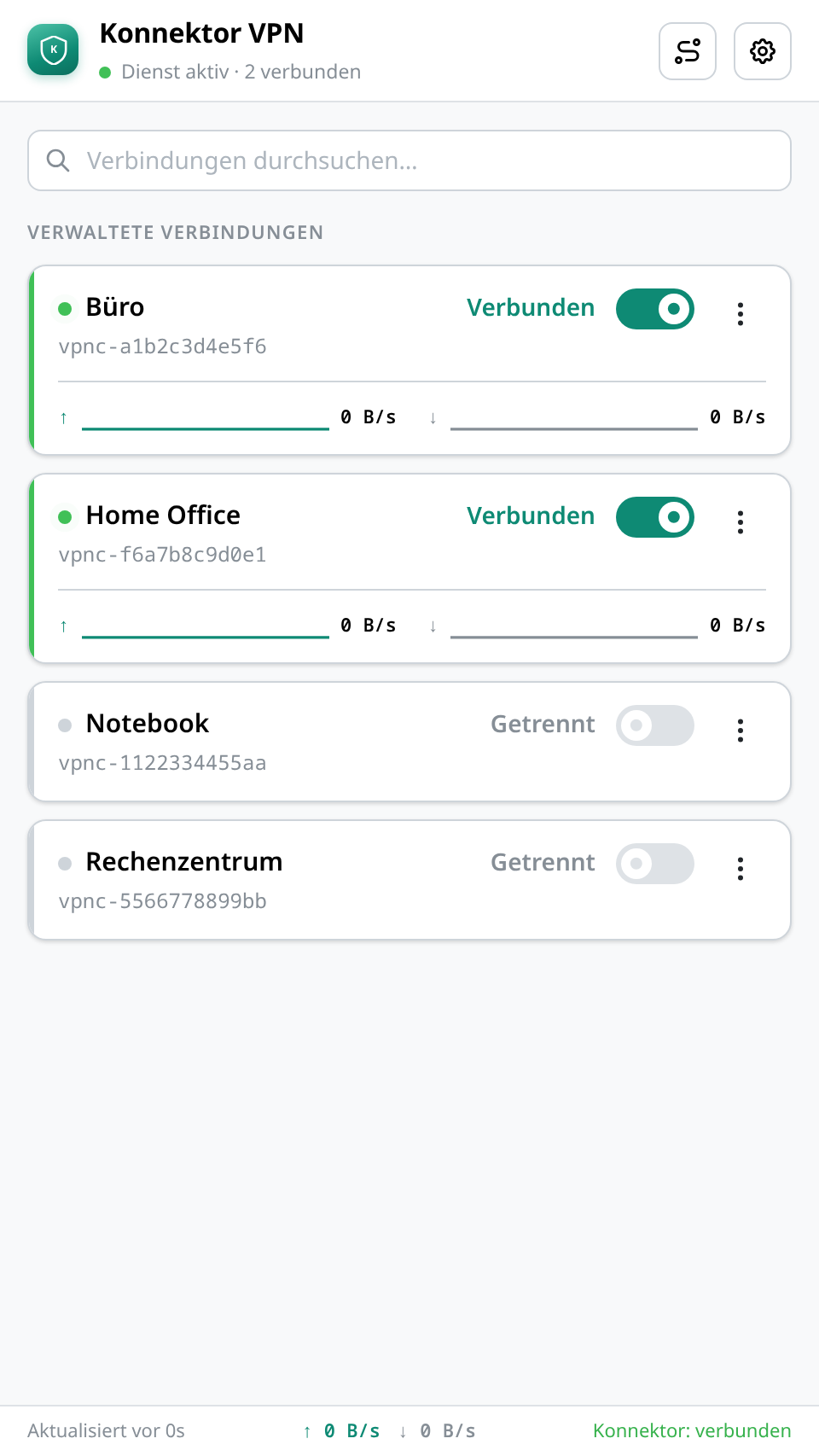
Konnektor VPN: list of connections, two of them actively connected Konnektor VPN: list of connections, two of them actively connected

Why not just the WireGuard client?

You could — Konnektor VPN just takes the inconvenient parts off your plate.

Konnektor VPNWireGuard client
Everyday use without admin rights ✓ only the install needs them, once repeated elevated rights required
One UI across every platform ✓ Windows, macOS, Linux, iOS, Android different per platform
Config management ✓ graphical import, encrypted roaming storage manual file copying, no roaming
After a reboot ✓ reconnects automatically usually reconnect manually
Setup ✓ guided graphical import config-file and CLI heavy

Downloads

WindowsDirect download
win-v1.0.0-beta13 · .msi
Download
LinuxIn progress
Packages are built — signing is still pending.
Coming soon
AndroidInternal test
Running in the Play Store test track — public link to follow.
Coming soon
macOSPlanned
Coming once Apple signing is in place.
Coming soon
iOSPlanned
Follows alongside the macOS release.
Coming soon
Don't want to miss it? We'll let you know as soon as your platform is live → newsletter below.
Preview

Stay tuned — the WireGuard Vault is coming, letting you sync all your WireGuard configs conveniently across every device.

Installing on Linux

A release ships two packages (client + tunnel daemon) — both must be installed together, or dependency resolution fails. Easiest via the command below:

Or manually (both files required):

Connected in four steps

01
Install

Admin rights once — never again after that.

02
Import config

Your .conf file via dialog or drag & drop.

03
Connect

One click. No UAC dialog, no sudo.

04
Forget about it

Keeps running as a service and reconnects automatically after every reboot.

For Teams & IT

VPN self-service without local admin rights

Employees manage their own tunnels — IT doesn't need to hand out admin rights for it. Roll it out once via software deployment, done.

  • The service/daemon handles the privileged operations
  • The user-facing GUI runs fully unprivileged
  • Encrypted config storage, roams between devices